Your 10-Minute DSE and Workstation Self-Assessment
Is your neck, back or shoulder pain becoming more noticeable while you work?
Your workstation may not be the only reason for your symptoms, but your equipment, working position and lack of movement variety can all contribute to discomfort.
This free 10-minute check will help you look at the main areas of your workstation and identify simple changes you could try.
You can use it whether you work:
In an office
From home
In a hybrid role
At a fixed desk
At different workstations
Before you begin
Sit at your desk as you normally would—not how you think you should sit.
If possible, ask someone to take a photograph of you from the side. This can make it easier to notice your screen height, chair position and how far you are reaching.
Make a note of every question you answer “No” or “I’m not sure” to.
There is no single perfect posture that you need to hold all day. The aim is to find a comfortable, supported setup while regularly changing position and moving.
Minute 1: How does your body feel?
Before changing anything, notice how your body feels while working.
Do you develop neck, shoulder, back, arm or wrist discomfort?
Do your symptoms become worse as the working day progresses?
Do you frequently rub, stretch or reposition the same painful area?
Do you experience headaches, tired eyes or difficulty focusing?
Do you feel significantly better when you are away from your desk?
Are your symptoms affecting your sleep, exercise or everyday activities?
If your symptoms are persistent, worsening or spreading into an arm or leg, a workstation adjustment alone may not be enough.
Check your chair and lower-body support
Look at the position of your feet, legs, back and shoulders.
Can you answer “Yes” to these statements?
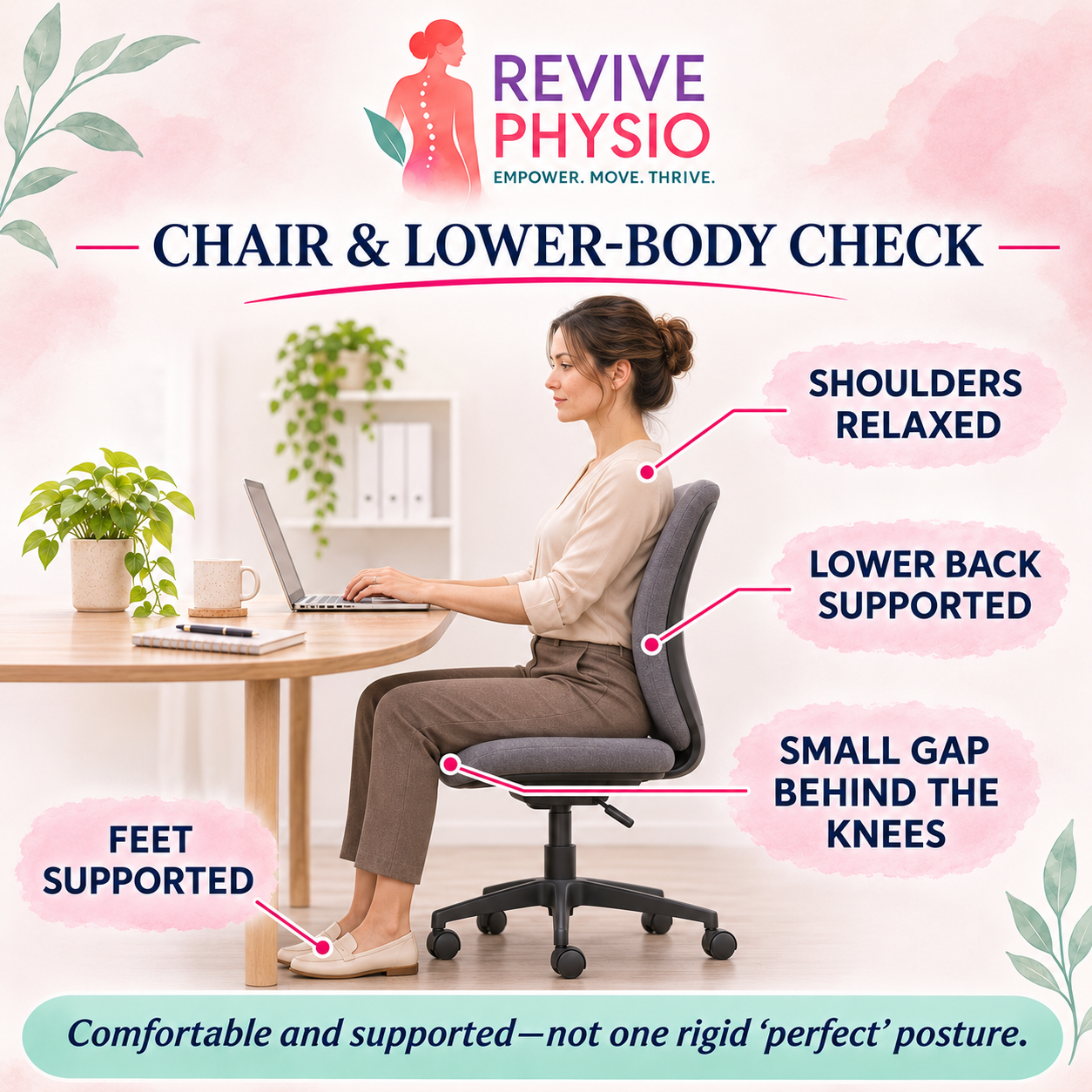
My feet are supported by the floor or a suitable footrest.
My thighs feel comfortably supported by the seat.
There is a small gap between the front of the chair and the backs of my knees.
My lower back feels supported by the chair or an appropriate cushion.
I can sit close to the desk without the chair arms getting in the way.
My shoulders feel relaxed rather than lifted towards my ears.
I can change my sitting position easily.
Things to reconsider
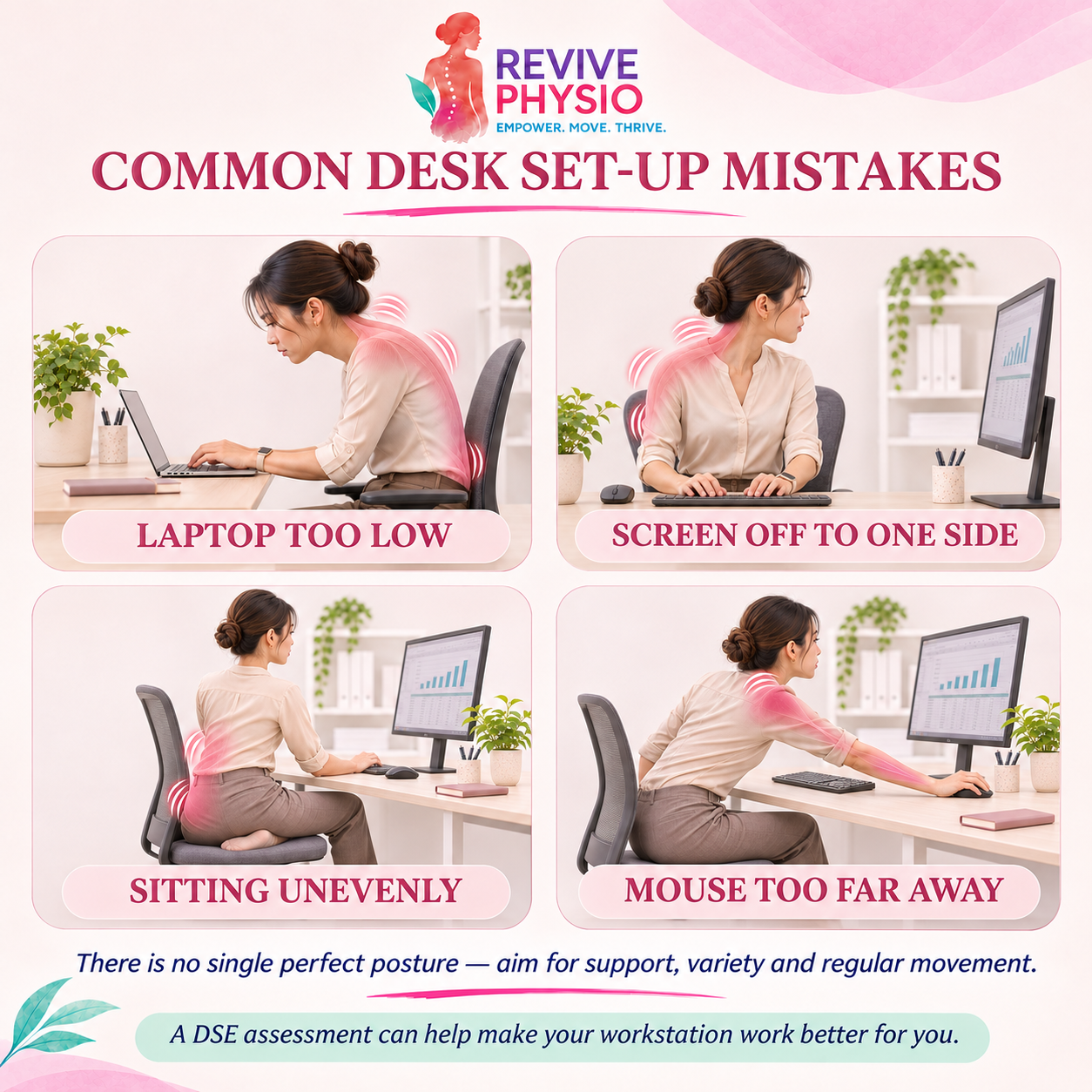
Sitting on one leg or with your legs crossed for long periods
Perching on the front of the chair
Sitting too low in relation to the desk
Having unsupported feet
Working without lower-back support
Remaining in exactly the same position for prolonged periods
Crossing your legs occasionally is not automatically harmful. The concern is staying in any asymmetrical or uncomfortable position for too long without changing.
Check your screen or laptop
Your screen position can influence how much you look down, reach forwards or rotate your neck.
Can you answer “Yes” to these statements?
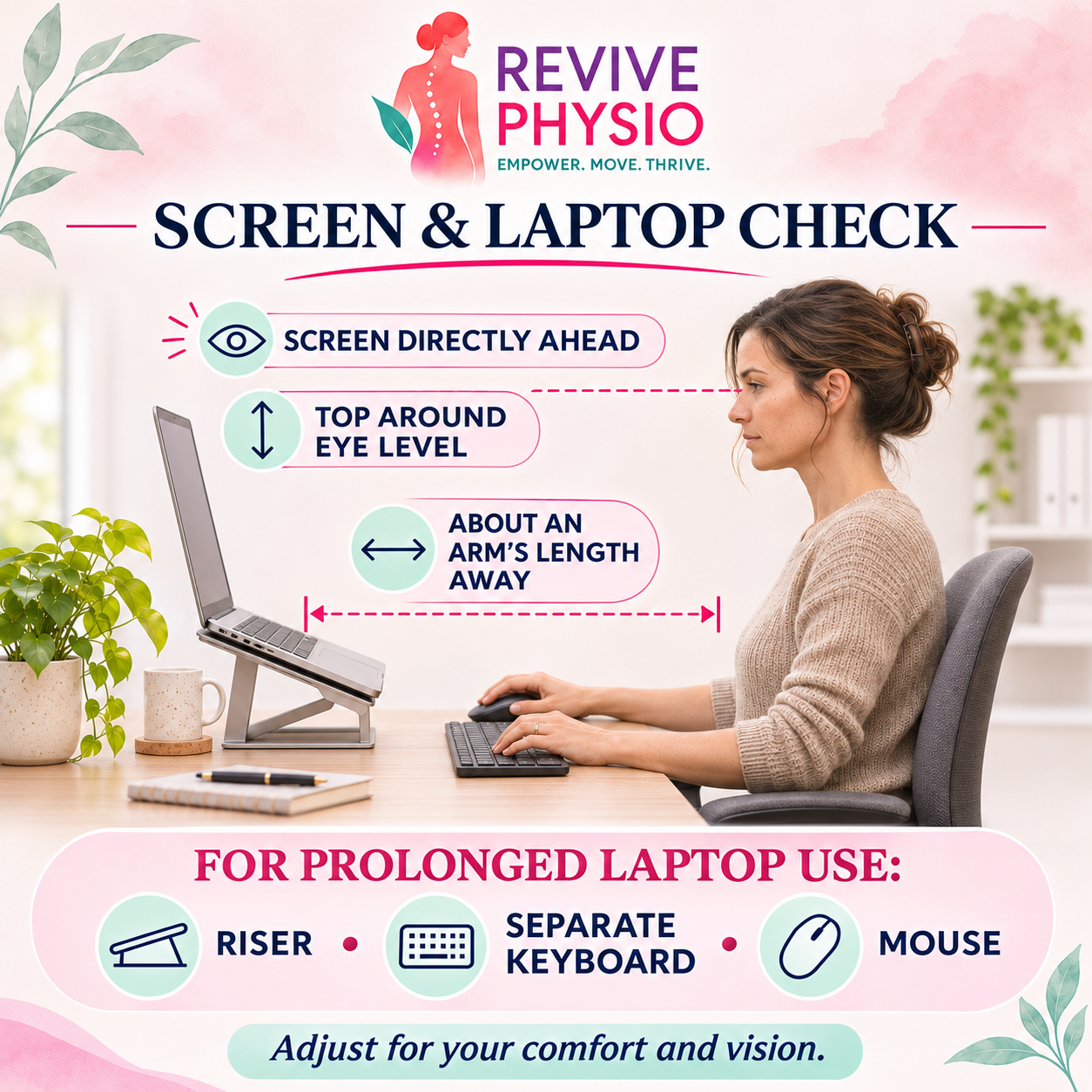
My main screen is positioned directly in front of me.
The top of the screen is approximately level with my eyes.
The screen is roughly an arm’s length away.
I can read the screen without leaning forwards or squinting.
I do not need to repeatedly turn my head towards a screen positioned to one side.
My screen is free from distracting glare and reflections.
If you wear bifocals or varifocals, you may need the screen positioned slightly lower to avoid repeatedly tipping your head backwards.
If you use a laptop for prolonged work
Ideally, use:
A suitable laptop riser
A separate keyboard
A separate mouse
Raising a laptop without adding a separate keyboard and mouse can create a different problem by making you reach upwards to type.
Check your keyboard and mouse
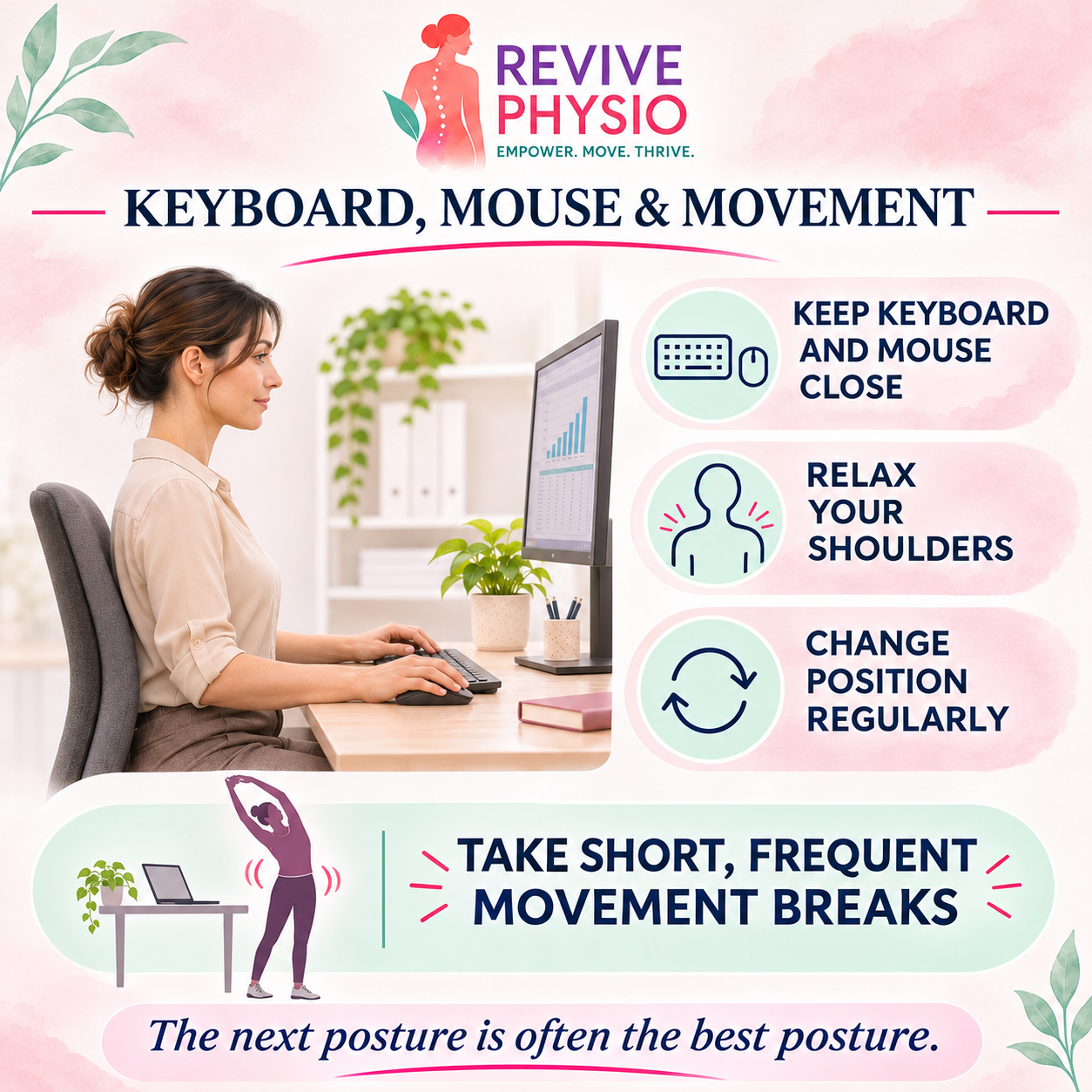
Your keyboard and mouse should allow you to work without repeatedly reaching forwards or holding your shoulders under unnecessary tension.
Can you answer “Yes” to these statements?
My keyboard is directly in front of me.
My mouse is close to the keyboard.
My elbows remain reasonably close to my body.
My shoulders feel relaxed while typing.
My wrists are not held in an uncomfortable bent position.
Frequently used items are within easy reach.
I do not repeatedly twist or lean to use my phone, paperwork or second screen.
Move the keyboard and mouse closer if you find yourself reaching across the desk.
Check your working environment
Consider the space around your workstation.
Can you answer “Yes” to these statements?
I have enough space to change position.
My lighting is comfortable for screen and paperwork tasks.
My screen is not affected by significant glare.
Cables and equipment are positioned safely.
Frequently used items are easy to reach.
The temperature and airflow are reasonably comfortable.
Background noise does not make me tense or repeatedly strain to hear.
Check your working routine
Even a well-arranged workstation cannot remove the effects of remaining still for long periods.
Ask yourself:
Do I regularly change position?
Do I take brief movement or task-change breaks before discomfort builds?
Do I stand, walk or stretch during the working day?
Do I alternate between screen-based and non-screen tasks when possible?
Do I avoid working for several hours without leaving my desk?
Do I adjust the workstation when moving between home and the office?
Short, regular changes of position are usually more useful than relying on one long stretch at the end of the day.
Try linking movement to something you already do—for example, standing during a phone call, walking after an online meeting or changing position whenever you finish a task.
What did your check identify?
Mostly “Yes”
Your workstation appears reasonably well supported.
Continue to vary your position, move regularly and review your setup whenever your equipment, symptoms or working arrangements change.
If you are still experiencing persistent pain, your symptoms may need a physiotherapy assessment rather than further workstation adjustments alone.
Several “No” or “I’m not sure” answers
Start with the easiest changes:
Centre your main screen and keyboard.
Bring your mouse closer.
Adjust your chair height and back support.
Support your feet if necessary.
Raise a laptop and add a separate keyboard and mouse.
Introduce more frequent changes of position.
Review whether your symptoms improve over the following days.
If you are unsure how to make these changes or which equipment would be appropriate, a professional DSE assessment can help.
Your pain continues despite making changes
Pain is rarely explained by posture alone.
Your symptoms may also be influenced by:
The length and intensity of your working day
Repetitive tasks
Reduced strength or mobility
A previous injury
Sleep and recovery
Stress
Menopause-related muscle and joint changes
An underlying musculoskeletal condition
A physiotherapy assessment can help identify what else may be contributing.
Should you book a DSE assessment, physiotherapy or both?
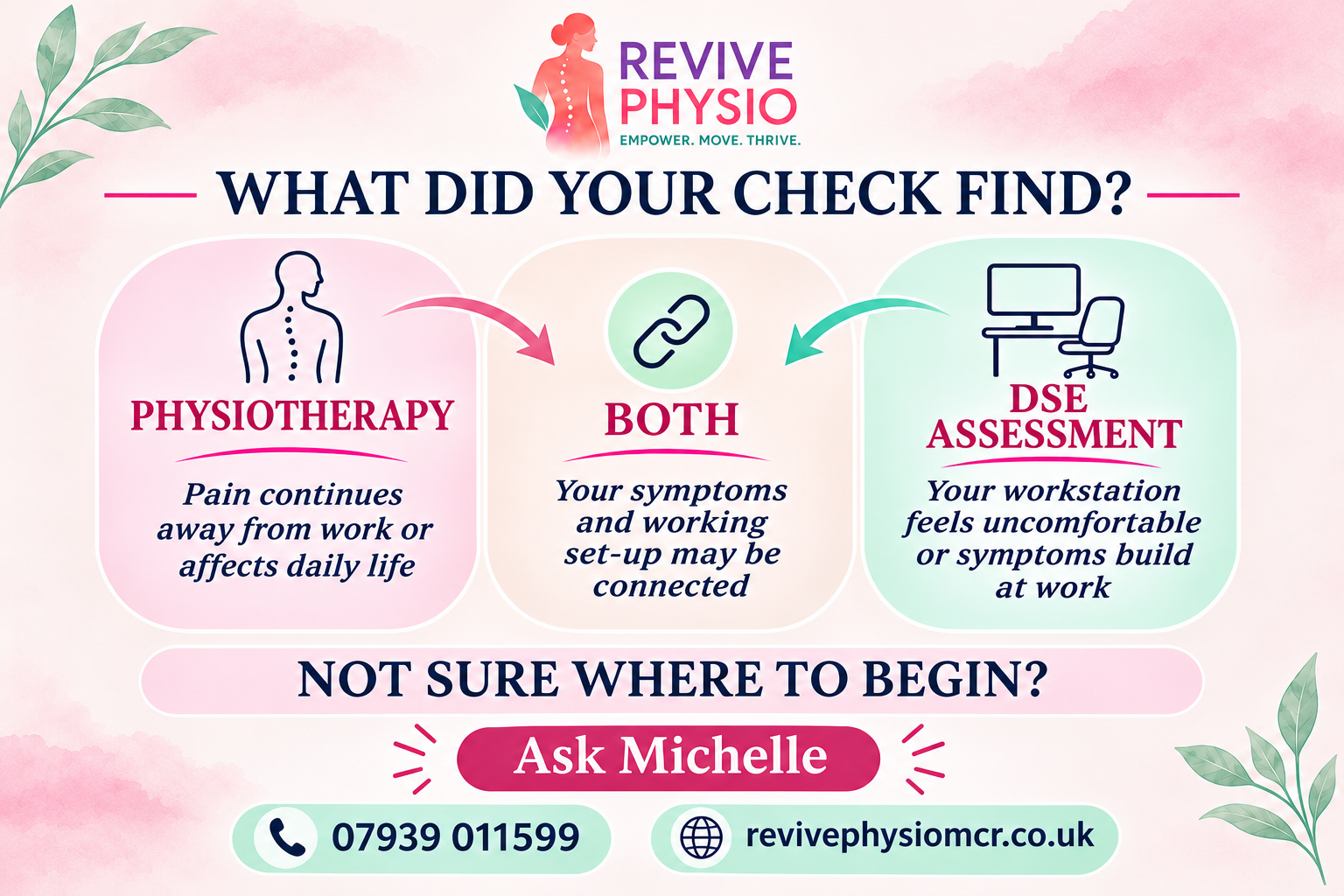
Choose a DSE assessment if:
You are unsure how to adjust your workstation.
Your symptoms appear closely connected to your work.
You use several different workstations.
You work from home or in a hybrid role.
You need clear equipment or adjustment recommendations.
Previous changes have not made your workstation comfortable.
Your assessment is carried out at your place of work—either in the office or at home—by Michelle, a Chartered Physiotherapist and qualified DSE Assessor with experience in occupational health.
Choose physiotherapy if:
Your pain continues away from work.
Your symptoms affect sleep, exercise or everyday activities.
You have restricted movement, weakness, numbness or recurring pain.
The problem began following an injury.
Workstation changes have not resolved the symptoms.
You would like an individual physical assessment and treatment plan.
[BOOK A PHYSIOTHERAPY ASSESSMENT]
Consider both if:
Your workstation appears to aggravate your symptoms, but you also have an existing physical problem that needs assessment and treatment.
Combining physiotherapy with a DSE assessment allows us to consider both your body and the working environment placing demands upon it.
Combining physiotherapy with a DSE assessment allows us to consider both your body and the working environment placing demands upon it.
[ASK MICHELLE WHICH APPOINTMENT I NEED]
Not sure where to begin?
You do not need to work it out alone.
Contact Michelle and briefly explain:
Where you work
What equipment you use
Where you experience pain
When the symptoms appear
What changes you have already tried
Michelle can help you decide whether to begin with a DSE assessment, physiotherapy or a combination of both.
📞 07939 011599
📧 info@revivephysiomcr.co.uk
Revive Physio is a physiotherapy and wellbeing clinic in Mosley Common, supporting people from Worsley, Walkden and surrounding areas.
Empower. Move. Thrive.
Important information
This self-check provides general guidance and reflects current HSE guidance on chair support, screen position, laptop use, keyboard and mouse placement, home working and regular breaks.
It is not a diagnosis or a substitute for a formal workplace risk assessment.